You have a box of 35mm film negatives — the thin plastic strips your parents shot on a point-and-shoot in 1987 — and you want digital copies that will actually hold up when printed or shared. A wave of compact “film digitizer” gadgets promises to do that job for under $250, and the marketing is hard to ignore: “22 megapixels,” “HD output,” “scan in seconds.” Megapixels (MP) is a measure of how many individual picture elements, or pixels, a digital image contains — more pixels generally means more detail when you enlarge a photo. But megapixel count alone doesn’t tell the whole story of image quality, and for family archive work the gap between the number on the box and the image you actually get can be significant. This guide breaks down what these budget devices realistically deliver, names the specific tradeoffs you’ll encounter at this price point, and gives you a clear decision rule for whether a sub-$250 gadget is the right tool or whether you need to step up.
| EDITOR'S PICK[KODAK Slide N Scan Max Digital](https://www.amazon.com/dp/B0B3F6KJJ2?tag=greenflower20-20)… | Mid-tierKODAK Mini Digital Film & Slide… | Budget pick[Magnasonic All-in-One 24MP Film](https://www.amazon.com/dp/B086DX4253?tag=greenflower20-20)… | |
|---|---|---|---|
| Resolution | — | 22MP | 24MP |
| Display | 7" LCD | 2.4" LCD | 5" LCD |
| Film Formats | — | 35mm, 126, 110, Super 8, 8mm | 35mm, 126, 110, Super 8 |
| Slide Formats | — | — | 135, 126, 110 |
| Built-in Memory | — | — | ✓ |
| Price | $209.99 | $139.99 | $129.98 |
| See on Amazon → | See on Amazon → | See on Amazon → |
What “22MP” Actually Means on a $99 Digitizer
Let’s start with the most important technical distinction in this category: optical resolution versus interpolated resolution.
Optical resolution is the number of pixels the camera sensor inside the device can genuinely capture from the film. Interpolated resolution is a software estimate — the device’s onboard processor mathematically guesses what additional pixels would look like if it had a better sensor, then inserts them. Most consumer film digitizers in the $50–$250 range achieve their headline megapixel count through interpolation, not optical capture.
Imaging Resource’s overview of scanner resolution terminology explains this clearly: a sensor capturing at 1,920 × 1,080 pixels (roughly 2MP of real data) can be upscaled by software to produce a file that measures 5,616 × 3,744 pixels on disk — which is technically 21 megapixels. The file exists. The detail doesn’t. When you zoom in on such a file, you see smooth, slightly smeared tonal transitions rather than the grain structure or fine edge detail the original film contains.
Reviewers at PCMag who evaluated the Kodak Slide N SCAN and similar portable digitizers in this class consistently note this distinction in their published findings. The Kodak unit markets a 14MP or 22MP mode depending on firmware, but PCMag’s editorial analysis found that effective optical capture sits far lower — the higher-MP mode is interpolation performed in the device before writing to the SD card.
This matters most when:
- You want to make prints larger than 4×6 inches (at standard print resolution of 300 PPI, a genuine 22MP image supports roughly a 20×14-inch print; a 2MP-equivalent interpolated image supports about a 5×3-inch print before softness becomes visible)
- You’re archiving irreplaceable negatives and may want to reprocess the raw capture in the future
- The source film has fine detail — sharp architectural shots, crowd scenes, or anything where original grain and edge sharpness matter
For quick social sharing and small prints, the math changes. A 1,920 × 1,080 pixel capture is entirely adequate for a Facebook post, an Instagram crop, or a 4×6 print. If that’s the archive goal, the interpolation argument becomes less urgent.
By the Numbers: Budget Digitizer vs. Entry-Level Flatbed
| Budget Digitizer (~$99–$200) | Entry Flatbed: Epson Perfection V39 (~$90) | Mid Flatbed: Epson Perfection V600 (~$230) | |
|---|---|---|---|
| Effective optical resolution (35mm negative) | ~1,800–2,000 PPI equivalent | 4,800 PPI optical | 6,400 PPI optical |
| Genuine megapixels from a 35mm frame | ~3–5 MP | ~10–12 MP | ~17–20 MP |
| Scan time per frame | 3–8 seconds | 60–90 seconds | 90–120 seconds |
| Color negative support | Varies; many lack true inversion | Yes, with software | Yes, with software |
PPI stands for pixels per inch — at 35mm film’s size (roughly 36 × 24mm), 4,800 PPI optical translates to approximately 7,200 × 4,800 pixels of real image data, or about 34MP of genuine detail. That comparison reframes the budget-gadget proposition quickly.
The Real Strengths of Sub-$250 Digitizers (They’re Not Nothing)
To be fair: the “grab-and-go” category has earned a genuine use case, and owners in long-run community reviews report real value in specific situations.
Speed and friction. B&H Photo Explora’s buying guide for film scanners notes that for large, unsorted family collections — think shoeboxes of mixed prints, negatives, and slides spanning decades — the highest-quality scan is the one that actually gets done. A device that connects directly to a smartphone via an app and deposits a 5MP JPEG in eight seconds will digitize a 300-negative collection in an afternoon. A flatbed that requires film holders, TWAIN drivers (the industry-standard software interface between scanner hardware and a computer), and careful color correction will take the same weekend but produce substantially better files — if the user has the patience.
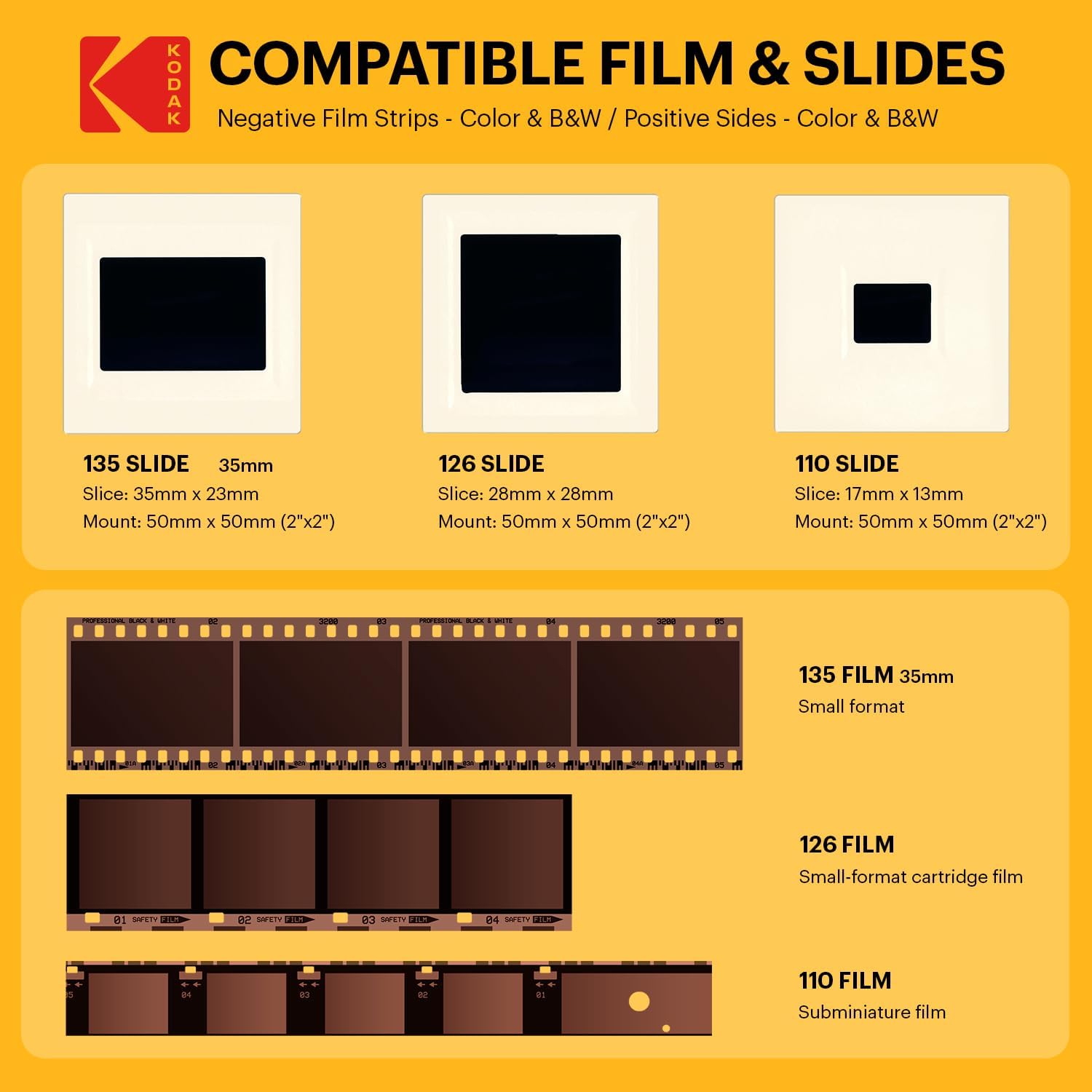
Format versatility at low cost. Several devices in this class — the Magnasonic All-in-One, the Wolverine Titan, the Kodak Slide N SCAN — handle 35mm negatives, 35mm slides, and 110 or 126 film cartridge formats. A dedicated flatbed like the Epson V600 covers these formats too, but it requires separate film holders (often included) and software investment. For a family that wants to process slides from a grandfather’s Kodachrome collection alongside standard negatives, an all-in-one gadget removes setup friction.
No computer required. Many budget digitizers write to an SD card or USB drive directly, or transmit to a phone app. For older family members digitizing their own archives, this matters. Wirecutter’s review series covering film digitization tools consistently identifies computer-free operation as one of the few genuine differentiators that budget devices hold over entry-level flatbeds.
Physical slide handling. Slides in cardboard or plastic mounts are awkward in flatbed holders; budget digitizers often handle them more naturally, feeding them in one at a time through a slot.
Where Budget Digitizers Consistently Fall Short
Across aggregated reviews and published spec comparisons, the pattern is clear on failure modes:
Color accuracy and negative inversion. Converting a color negative to a positive image requires a precise inversion algorithm and color profile. Most budget digitizers apply a fixed algorithm that works acceptably for daylight-exposed negatives on common film stocks (Kodak Gold, Fujifilm 200) but produces muddy, color-shifted results with cross-processed film, underexposed frames, or slide film (reversal film, which is already a positive and requires different handling). TechRadar’s 2025 roundup of best film scanners notes this as the most common complaint in owner reviews of the Kodak Slide N SCAN and Wolverine units specifically.
Shadow and highlight recovery. Budget sensors have limited dynamic range — the difference in stops (a photographic unit measuring brightness doublings) between the darkest shadow they can record and the brightest highlight before the image clips to pure white. Film negatives can have 10 or more stops of captured information. Owners consistently report blocked-up shadows on darker family snapshots when using budget digitizers.
Software and post-processing lock-in. Many budget digitizers produce JPEGs only — a compressed format that discards some image data on save. Entry-level flatbeds paired with software like SilverFast Se (Epson includes a version) produce TIFF files (lossless, meaning no image data is discarded) that can be corrected and re-exported indefinitely without degrading the original capture.
Dust and scratch management. ICE (Digital ICE is a hardware-based infrared dust detection system originally developed by Kodak and licensed to scanner manufacturers) is not present on any sub-$250 digitizer gadget as of mid-2026. Flatbeds at the $230–$300 level (the Epson V600) include it for color film. For dusty, older negatives, the difference in cleanup time is substantial — owners of ICE-equipped scanners report spending 80–90% less time retouching dust spots versus manual cleanup in Photoshop.
The Workflow Math: Speed vs. Quality
Here’s the honest tradeoff expressed as a decision model:
If your collection is under 200 frames and final output is 4×6 prints or screen viewing only, the budget digitizer case is reasonable. A Wolverine Titan at around $150 or the Kodak Slide N SCAN at $130–$180 street price in May 2026 will do the job. Owners report genuine satisfaction for this use case. You’re not archiving for a museum; you’re rescuing holiday snapshots before the negatives degrade further.
If your collection is 200–2,000 frames and you want files that hold up to 8×10 printing or potential future reprocessing, the Epson Perfection V39 ($90) or V600 ($230) flatbed paired with a free scan-and-correct workflow (Epson Scan software, or VueScan from Hamrick Software at ~$40) produces files that are objectively and measurably better by published spec and owner consensus. The V600 is our editorial recommendation as the minimum-viable serious archive scanner for 35mm film. The scan-time investment is real — budget 3–4 minutes per frame for careful work — but for a 500-negative collection that takes a few weekends, the output quality difference justifies it.
If your collection includes medium-format film (larger negatives from 120-format cameras, often called “120 film” or “medium format”), no sub-$250 dedicated digitizer handles it. The flatbed path is your only sub-$1,000 option.
If you’re a cultural heritage professional or film archivist and this article caught your eye as a sanity check on budget alternatives: the sub-$250 category does not approach FADGI (Federal Agencies Digital Guidelines Initiative — a U.S. federal standard for digitization quality) two-star compliance. It’s a consumer tool for consumer outcomes.
Clear Decision Rules
-
Output is social/screen only, collection under 200 frames, no computer preferred → Budget digitizer is defensible. Look at the Kodak Slide N SCAN or Magnasonic MGSBVS10 and set expectations accordingly.
-
Output includes any prints larger than 5×7, collection over 200 frames, or negatives have sentimental irreplaceability → Start with the Epson V39 flatbed minimum; step to the V600 if your film includes slides or you want Digital ICE. The $230 price difference between a budget gadget and the V600 is real — and worth it.
-
You have slides specifically → Flatbed beats gadget on color accuracy, per owner consensus and published spec comparisons across TechRadar and Wirecutter’s coverage. The gadget’s slide-handling convenience doesn’t compensate for the color quality gap.
-
Your film is degraded, faded, or from unusual stocks → Skip this entire category. A professional drum scan service or a production flatbed with full software control is the only path to recoverable detail from compromised originals.
The 22MP number on the box isn’t a lie, exactly. It’s a description of the file, not the image. For family archive work, knowing that difference before you buy saves a box of irreplaceable negatives from a second round of digitization — this time with the right tool.