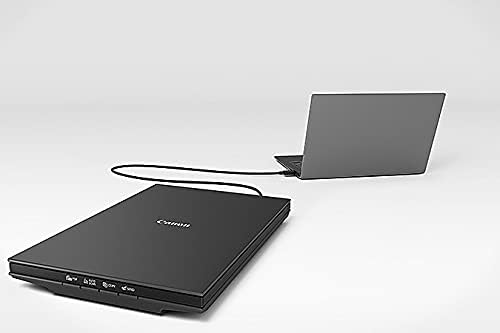
You’ve probably noticed that your phone’s scanning app has gotten genuinely impressive — it straightens pages, boosts contrast, and exports a clean PDF in seconds. For a quick contract or a grocery list, it’s hard to argue with that. But if you’ve ever tried to digitize a printed photograph, a color-critical legal exhibit, or a stack of documents where every pixel might matter in an audit, you’ve likely hit the ceiling fast. A flatbed scanner — the kind where you lift a hinged lid and lay your original face-down on a glass plate — captures reflected light from a fixed, precisely calibrated sensor array. That geometry eliminates the perspective distortion and uneven lighting that phone cameras struggle with, especially near document edges. The result is a pixel-accurate reproduction rather than an approximation. This guide is for home-office professionals — freelancers, consultants, small-firm attorneys, photographers, and remote workers — who are deciding whether a dedicated flatbed still earns its desk space in 2026, and if so, which one.
Why the “Just Use Your Phone” Argument Falls Apart in Professional Contexts
The honest answer is: phones are fine for plenty of things, and you should keep using yours for them. The gap opens up in three specific scenarios.
Color fidelity under professional scrutiny. A flatbed scanner’s cold-cathode or LED light source illuminates your original uniformly and the CCD (charge-coupled device) or CIS (contact image sensor) reads it straight on. Phone cameras introduce lens vignetting, ambient color casts, and JPEG compression artifacts. Reviewers at PCMag consistently note that flatbeds from Epson’s Perfection line resolve color gradients that phone scans render as muddy bands — particularly in skin tones and printed photographic paper.
Optical resolution versus interpolated resolution. Scanner manufacturers list two resolution numbers: optical (what the hardware actually resolves) and interpolated (software-enhanced, essentially an upscale). For documents, 300 dpi (dots per inch — the density of sample points across one inch of the original) optical resolution is the professional floor. For photos you want to enlarge or archive, 1200–2400 dpi optical resolution starts to matter. Phone cameras are measured in megapixels, not dpi in any fixed-geometry sense, and the math doesn’t translate cleanly to archival standards. Per the Federal Agencies Digital Guidelines Initiative (FADGI), a U.S. government framework that sets image quality targets for digitization projects, reflective photographic prints archived at the “three-star” tier require at minimum 400 dpi with specific tonal-range performance — a threshold that requires a real scanner.
Document throughput and consistency. If you’re scanning one receipt, a phone works. If you’re scanning 40 pages of a signed contract — some with photographs, some with fine print — a flatbed with an automatic document feeder (ADF, a tray that pulls sheets through automatically) maintains consistent exposure settings across the batch in a way that phone sessions do not. The Epson WorkForce ES-400 II, for instance, is manufacturer-rated at 35 pages per minute in duplex mode (scanning both sides of a page in a single pass), a spec that a phone workflow simply cannot replicate.
The Decision Matrix: What Kind of Home-Office User Are You?
Before getting into specific models, it helps to be honest about your actual workload. Here’s a simplified frame:
By the numbers — home-office scan volume tiers:
| Use pattern | Weekly volume | What you actually need |
|---|---|---|
| Occasional contracts, receipts | <20 pages | Entry flatbed or ADF-only unit |
| Small-business bookkeeping, legal | 20–100 pages | Mid-range ADF flatbed combo |
| Photo archiving or archival work | Ongoing | High-optical-resolution flatbed |
| Mixed heavy doc + photo | 100+ pages + photos | Dual-unit or production combo |
The category that most home-office buyers underestimate is the third row — photo archiving. Pulling out a box of family prints, negatives, or slides from the 1970s–1990s is a project that most people undertake once or twice in a lifetime, but they want to do it right. That’s a different purchase than a document-only workflow, and conflating the two leads to buyer’s remorse in both directions.
Matching Scanner Type to Your Workflow
Document-Heavy Workflows: ADF Is the Priority
If your weekly workload skews toward multi-page documents — contracts, invoices, HR paperwork, client deliverables — the ADF mechanism matters more than optical resolution. You want a unit that scans reliably at 300 dpi, handles mixed paper weights without jamming, and integrates cleanly with your existing software stack (TWAIN drivers, which are the standard software interface between scanner hardware and applications like Adobe Acrobat or your document management system, are the compatibility baseline you should verify before purchasing).
The Epson WorkForce ES-400 II (~$300 as of mid-2026) is a well-regarded mid-tier choice in this category. Owners consistently report low jam rates on mixed-weight paper, and it ships with TWAIN and ISIS (a more robust driver standard common in enterprise document capture workflows) support. The flatbed glass is present, but it’s an afterthought for this unit — the ADF is the value proposition.
The Fujitsu ScanSnap iX1300 (~$400) takes a more opinionated approach: it uses Fujitsu’s proprietary ScanSnap Home software rather than TWAIN, which makes setup faster for non-technical users but creates friction if you need to integrate with professional document management systems. Reviewers at PCMag have flagged this tradeoff explicitly — ScanSnap iX1300 earns high marks for ease of use but requires a workaround for organizations standardized on TWAIN-based capture software.
Photo and Mixed-Media Workflows: Optical Resolution Is the Priority
If your goal is digitizing photographs — especially anything smaller than 4×6 inches, or anything on film — optical resolution and the quality of the scanner’s color calibration dominate the decision.
The Epson Perfection V600 Photo (~$230 street price as of mid-2026) remains the most-recommended unit in this segment for home-office buyers according to Wirecutter’s photo scanner coverage. It offers 6400 dpi optical resolution, includes film holders for 35mm negatives and slides, and produces scans that owners consistently describe as clean enough to enlarge to 8×10 prints with no visible degradation. For a standalone photograph digitization project, this is the value anchor — the unit you measure everything else against.
At the upper end of what still makes sense for a home office, the Plustek OpticFilm 8200i (~$350) is purpose-built for 35mm film and slides at up to 7200 dpi optical resolution. It lacks a flatbed surface entirely — this is a dedicated film scanner — which makes it the right answer only if your workload is film-only. Imaging Resource’s scanner archive notes that the 8200i’s grain reduction processing (Digital ICE, a hardware-level infrared dust and scratch removal system) is genuinely useful for damaged older film, though it adds scan time per frame.
The “I Need Both” Scenario: Managing the Compromise
Here’s the tradeoff that home-office buyers most often land on: they want a single unit that handles documents at speed and photos at quality. The honest answer is that no single unit at the home-office price point fully optimizes both. The document-focused units (ES-400 II, iX1300) have weak flatbed glass and limited optical resolution for photos. The photo-focused units (Perfection V600) have small ADFs or none at all, making them slow for multi-page document batches.
The practical resolution most professionals reach: buy the photo flatbed (Perfection V600 or equivalent) if your photo/archiving work is the harder problem to solve, and use a scan-to-PDF app for routine document pages. Or buy the ADF-heavy document unit and accept that photo digitization will require a service bureau or a future second purchase.
If budget permits a single slightly higher investment, the Epson Perfection V850 Pro (~$1,000) is the unit that genuinely serves both constituencies — 6400 dpi optical resolution, a competent flatbed, and enough built-in calibration targets to satisfy FADGI two-star requirements for reflective originals. Reviewers at B&H Photo’s Explora editorial arm have described the V850 Pro as the scanner where the home-office and semi-professional archival use cases overlap. It’s more than most home offices need, but it’s not the wrong answer for someone who knows their photo project is serious.
Software, Drivers, and the Workflow Friction Nobody Talks About
The scanner hardware is only half the purchase. The software stack — drivers, bundled applications, and OS compatibility — is where home-office buyers get caught off-guard, often after they’ve already set the hardware on their desk.
As of mid-2026, both Epson and Fujitsu maintain active macOS Sonoma and Windows 11 driver support for their current lines, which matters because driver neglect is common with older units. Per PCMag’s flatbed scanner coverage, several well-regarded scanners from mid-tier manufacturers have seen driver updates stall at Windows 10, creating compatibility friction for buyers on current OS versions. Always verify driver currency before purchasing, not after.
TWAIN compatibility is worth a specific check if you use Adobe Acrobat, PaperPort, or any professional document management platform. ScanSnap units use a proprietary stack; all others in this guide are TWAIN-standard. If your firm has standardized on a specific capture or workflow application, confirm TWAIN support on the vendor’s current driver page before committing.
Bundled OCR (optical character recognition — software that converts scanned text images into searchable, editable text) has improved significantly. Both the ES-400 II and the iX1300 include capable OCR in their bundled software. For home-office professionals who need searchable PDFs as a deliverable, the bundled software is often sufficient; ABBYY FineReader licenses (a professional-grade OCR application) are available if precision on complex layouts is required.
The Decision Rule
The “if X, then Y” frame this decision actually deserves:
- If your work is primarily multi-page documents and throughput matters → Epson WorkForce ES-400 II at ~$300. Strong ADF, TWAIN/ISIS support, honest document-grade flatbed.
- If your work is primarily photo or film archiving → Epson Perfection V600 at ~$230, or Plustek OpticFilm 8200i at ~$350 if your archive is exclusively 35mm film.
- If you genuinely need both at a professional standard and can justify the spend → Epson Perfection V850 Pro at ~$1,000. It won’t disappoint either workflow.
- If your primary need is fast document capture and photos are occasional → Get the ES-400 II and use a service bureau for the photo project. One-time scan services run $0.10–$0.50 per print and are often the smarter total-cost decision for a bounded project.
The phone isn’t going away, and neither is the flatbed. The question isn’t which technology is better in the abstract — it’s which one solves the specific problem sitting on your desk right now.