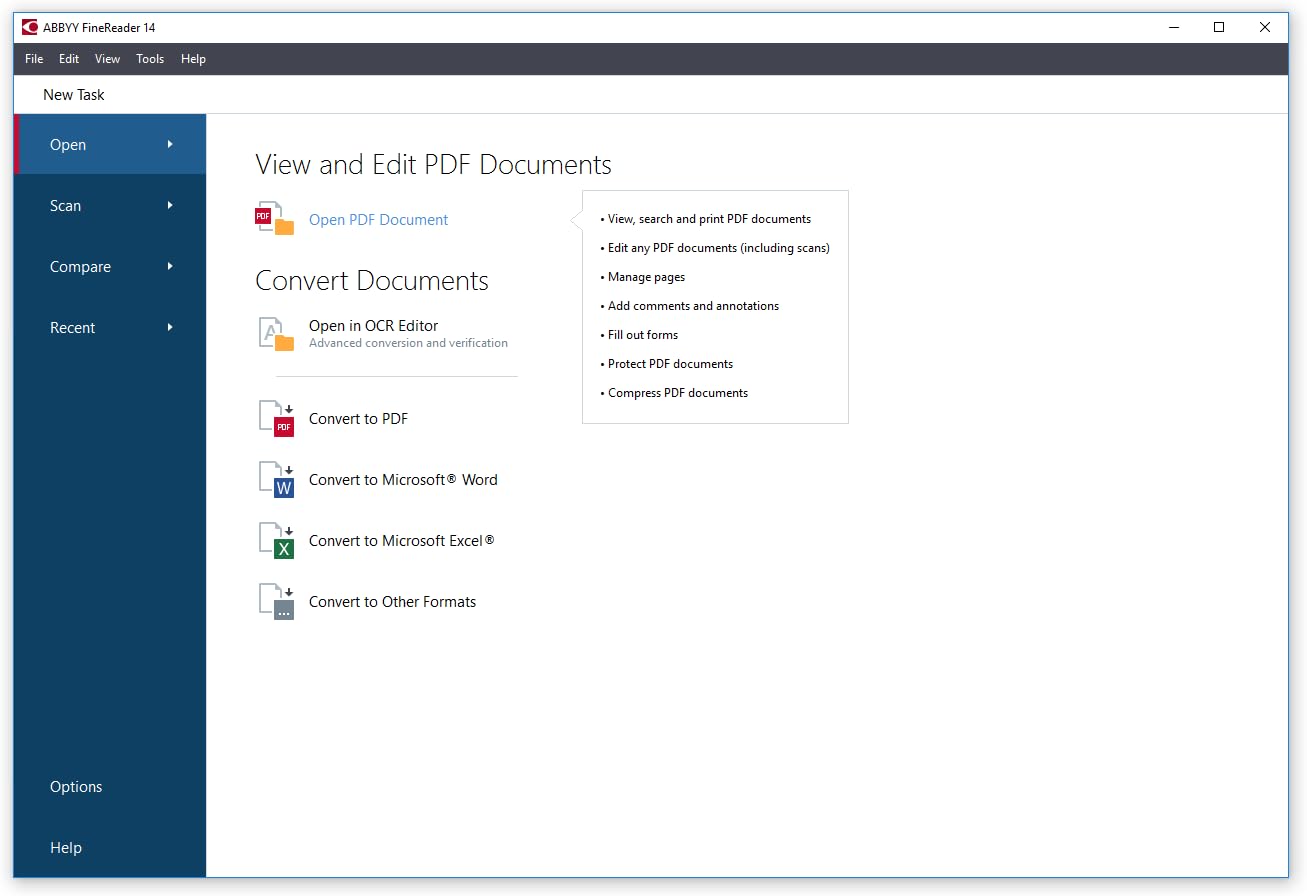
You’ve bought, spec’d, or recommended a scanner — but once it’s on the desk or in the server room, the scanner itself is only half the equation. The other half is the software stack that sits between the hardware and your final deliverable: the searchable PDF, the indexed record, the compliant archive. That software stack has three main layers you need to understand. First, the driver interface — specifically TWAIN and ISIS, two competing standards that control how your scanning software talks to the scanner hardware. Second, the OCR engine (Optical Character Recognition — software that reads scanned images and converts them into selectable, searchable text). Third, the PDF creation and workflow layer — tools like ABBYY FineReader or Kofax that bundle OCR with routing, compression, and output formatting. Get this stack wrong and you’ll fight throughput bottlenecks, compatibility failures, or compliance gaps every single day. Get it right and the hardware investment pays off cleanly.
This guide is aimed at practitioners who are currently deploying or purchasing a document scanning system and need to make a concrete software decision — not just understand the concepts. We’ll map the tradeoffs, show the math where it matters, and end with clear decision rules.
| EDITOR'S PICK[ABBYY FineReader 14 Corporate f…](https://www.amazon.com/dp/B01N12UIOI?tag=greenflower20-20) | Mid-tier[Kofax Paperport 14.0 Profession…](https://www.amazon.com/dp/B00M7GQYDM?tag=greenflower20-20) | Budget pick[PDF Extra 2024| Complete PDF Re…](https://www.amazon.com/dp/B0BQ8F3844?tag=greenflower20-20) | |
|---|---|---|---|
| OCR engine | ABBYY | — | — |
| PDF editor | ✗ | — | ✓ |
| License type | Corporate | Professional | Lifetime |
| Platform | PC | PC | Windows PC |
| Price | $399.99 | $199.99 | $99.99 |
| See on Amazon → | See on Amazon → | See on Amazon → |
TWAIN vs. ISIS: The Driver Layer Isn’t a Commodity Choice
Every scanner needs a driver — software that lets your operating system and scanning applications communicate with the hardware. For document scanners, two competing driver standards dominate the market: TWAIN and ISIS.
TWAIN (the name is technically derived from the phrase “toolkit without an interesting name,” though the TWAIN Working Group’s TWAIN Standard Version 2.5 Specification confirms it’s now treated as a proper noun) is the universal standard. Nearly every scanner sold today ships with a TWAIN driver. It’s open, widely supported, and works with hundreds of software applications. If your workflow runs on off-the-shelf software — Microsoft Office Lens, PaperScan, or even basic network scan utilities — TWAIN is what’s under the hood. TWAIN 2.x, the current generation, supports 64-bit applications and Unicode, resolving longstanding limitations of the legacy 1.x spec.
ISIS (Image and Scanner Interface Specification) is the enterprise-grade alternative, originally developed by Pixel Translations and now maintained by OpenText (formerly EMC Captiva). The Document Imaging Report’s ISIS driver market analysis from 2024 notes that ISIS remains the preferred driver interface in high-volume production environments — specifically because it handles multi-page, duplex (both-sided), and high-speed feeds more reliably under sustained load than TWAIN. ISIS drivers also offer finer control over image processing parameters like adaptive thresholding and deskew at the driver level, rather than pushing that work to the application.
The practical implication: If you’re deploying a production-class scanner — a Kodak Alaris S3060 ($4,000), a Fujitsu fi-7900, or a similar 60+ page-per-minute workhorse — and your software platform is Kofax Capture, OpenText Documentum, or a comparable enterprise content management (ECM) system, you almost certainly want ISIS. The Kodak Alaris S3060 Product Brief specifically lists ISIS driver support alongside TWAIN as a deployment consideration for enterprise ECM integrations. If you’re deploying a mid-range scanner — a Fujitsu ScanSnap iX1300 ($400) or Epson WorkForce ES-400 II ($300) — for an office or small professional practice, TWAIN is sufficient, and ISIS likely isn’t available for that hardware tier anyway.
One important warning: ISIS requires a per-seat or per-server license from OpenText in most enterprise deployments. This is a real line item in your TCO (total cost of ownership) calculation that hardware-only comparisons miss entirely.
OCR Engines: Where the Text Actually Comes From
OCR is the conversion step that transforms a scanned image — essentially a photograph of a page — into actual machine-readable text. Without OCR, your scanned PDF is just a picture of a document; you can’t search it, copy text from it, or run compliance checks against its content.
Three OCR engines dominate professional document scanning workflows in 2026:
ABBYY FineReader Engine / FineReader PDF is the market benchmark for accuracy. PCMag’s evaluation of ABBYY FineReader PDF 16 rates it as the top standalone OCR product for accuracy across mixed-language documents, complex layouts, and degraded source material (faded print, off-angle scans). ABBYY’s own FineReader PDF 16 Technical Specifications list recognition support for 198 languages and specific optimization for structured documents like invoices, legal contracts, and medical records — which matters if you’re in healthcare or legal services.
Kofax OmniPage (now Tungsten OmniPage) is ABBYY’s closest competitor and is tightly integrated with Kofax’s broader capture and workflow automation platform. If your organization already runs Kofax Capture or Kofax TotalAgility for routing and approval workflows, OmniPage is the natural OCR layer — the integration reduces complexity and support overhead.
Tesseract (open source, maintained by Google) is worth naming because it appears in a surprising number of embedded scanner software stacks and mid-market workflow tools. Accuracy benchmarks from the document imaging community consistently show Tesseract trailing ABBYY and Kofax on complex layouts and degraded documents, but for clean, modern office documents at volume, the gap narrows. Tesseract’s main value proposition is cost — it’s free — but production deployment requires engineering effort that isn’t.
By the Numbers: OCR Accuracy Context
| Engine | Reported accuracy, clean print | Complex layout / degraded print |
|---|---|---|
| ABBYY FineReader 16 | 99.8%+ (per ABBYY spec sheet) | Industry-leading per PCMag |
| Kofax OmniPage Ultimate | ~99.5% (per Kofax published data) | Strong on structured forms |
| Tesseract 5.x | ~98–99% (clean print, community benchmarks) | Degrades meaningfully |
Note: These figures reflect manufacturer and reviewer-reported data; real-world accuracy varies with scan resolution, source document condition, and language mix.
PDF Output Standards: Not All PDFs Are Equal
When your OCR engine finishes processing, it hands off to the PDF creation layer. The output format matters — a lot — depending on your use case.
PDF/A (ISO 19005) is the archival standard. PDF/A-1b is the minimum for long-term document preservation; PDF/A-2a and PDF/A-3a support embedded files and better compression. If you’re in healthcare, legal, government, or cultural heritage work, PDF/A is typically required either by regulation (HIPAA document retention guidance, court filing rules) or by institutional policy. ABBYY FineReader PDF 16 supports PDF/A-1a, PDF/A-2a, and PDF/A-3a output natively; Kofax OmniPage Ultimate similarly covers the full PDF/A range.
PDF/UA (ISO 14289, Universal Accessibility) is increasingly required for government and publicly-funded institution workflows due to Section 508 compliance in the US and equivalent accessibility mandates in the EU. This is the format that makes PDFs readable by screen readers and assistive technology. As of mid-2026, compliance teams at federal contractors report growing scrutiny on whether scanned document archives meet PDF/UA tagging requirements — something worth confirming with your software vendor before committing.
Searchable PDF vs. PDF with hidden text layer: A standard OCR output places a transparent text layer over the original scan image. The document looks like the original scan but is fully searchable and copyable. This is distinct from a fully-formatted PDF where the OCR engine reconstructs the document layout as actual text — useful for editing, less reliable for preserving exact visual fidelity. For compliance and archival workflows, searchable PDF over the original image is the safer choice.
Matching the Stack to Your Deployment
Here’s where the decision framework becomes concrete. Consider your current deployment scenario:
Scenario A: Mid-market office deployment (Fujitsu ScanSnap iX1300 or Epson WorkForce ES-400 II, 500–2,000 pages/day) The Fujitsu ScanSnap iX1300 Software Guide confirms the device ships with ScanSnap Home, a TWAIN-based application with built-in OCR via ABBYY’s embedded engine. For most small-to-mid office workflows — HR onboarding documents, AP invoice scanning, light records management — this bundled stack is genuinely sufficient. You don’t need to purchase a standalone ABBYY license separately; the embedded version handles the core use case. The tradeoff: the embedded engine doesn’t expose the full ABBYY API, so if you need custom routing rules, zonal OCR (extracting data from specific fields on a form), or integration with an ECM platform, you’ll need to step up to ABBYY FineReader PDF or FineReader Server, which runs $300–$600 per seat for PDF 16 as of early 2026.
Scenario B: Production-class deployment (Kodak Alaris S3060 or similar, 10,000+ pages/day, ECM integration) At this tier, the software stack cost is a real budget line — not a footnote. ISIS driver licensing, ABBYY FineReader Server (priced per server, not per seat), and ECM connector modules can add $5,000–$15,000 or more to the deployment cost on top of hardware. This is the tier where getting an itemized software quote from your VAR (value-added reseller) before signing the hardware PO is non-negotiable. The Kodak Alaris S3060 Product Brief is explicit that the device is designed for integration with third-party capture platforms — meaning Kodak Alaris is not providing a full software bundle at this tier; you’re assembling the stack yourself.
Scenario C: Healthcare or compliance-sensitive workflow (any hardware tier) If HIPAA audit trails, PDF/A archival, or PDF/UA accessibility compliance are requirements, ABBYY FineReader PDF 16 or FineReader Server is the clearest path — both because of the breadth of its PDF/A support and because ABBYY publishes explicit compliance documentation that procurement and legal teams can reference. Kofax (now Tungsten) is equally viable if you’re already inside the Kofax ecosystem. Either way, confirm PDF/A output version support in writing from the vendor before contract execution.
The Decision Rule
If you’re mid-negotiation on a scanning deployment, here’s the framework:
-
If your scanner is sub-$1,000 and your workflow is internal office digitization without ECM integration → use the bundled TWAIN/ABBYY stack that ships with the device. Upgrade to standalone FineReader PDF only if you need custom zonal OCR or PDF/A compliance.
-
If your scanner is production-class ($2,000+) and you’re integrating into an ECM platform → budget for ISIS licensing, specify it in the hardware PO, and treat ABBYY FineReader Server or Kofax OmniPage as a separate software line item with its own multi-year support contract.
-
If compliance is a hard requirement (HIPAA, PDF/A, Section 508/PDF/UA) → confirm the exact ISO output versions your chosen OCR platform supports in writing before signing anything. “Supports PDF/A” is not specific enough; you want “supports PDF/A-2a” or whichever version your compliance officer has specified.
-
If you’re evaluating open-source OCR (Tesseract) to reduce cost → it’s a legitimate choice for clean, high-volume, single-language documents, but factor in the engineering overhead of production deployment and the accuracy gap on complex or degraded documents before committing.
The scanner on the desk is only as useful as the text it can deliver. Getting the software stack right before the hardware ships is the decision that actually determines whether the workflow performs.