If you’ve ever needed to scan a stack of contracts, inspection forms, or medical intake documents somewhere other than a desk — a job site trailer, a patient’s home, a hotel conference room — you already know the problem. Most office scanners are anchored to a power outlet and a USB cable connected to a full workstation. A portable sheet-fed scanner solves that by feeding individual pages (one at a time, in a slot at one end, out the other) rather than requiring you to lift a lid over a flat glass bed. The best ones run on nothing but a single USB cable connected to a laptop, a feature the industry calls bus-power — the scanner draws all the electricity it needs from the port itself. Others carry an internal rechargeable battery so you can scan without any cable at all. This guide breaks down which power model fits which workflow, where image quality compromises show up in this class of hardware, and — because you’re probably staring at a specific shortlist right now — a clear if/then decision rule at the end.
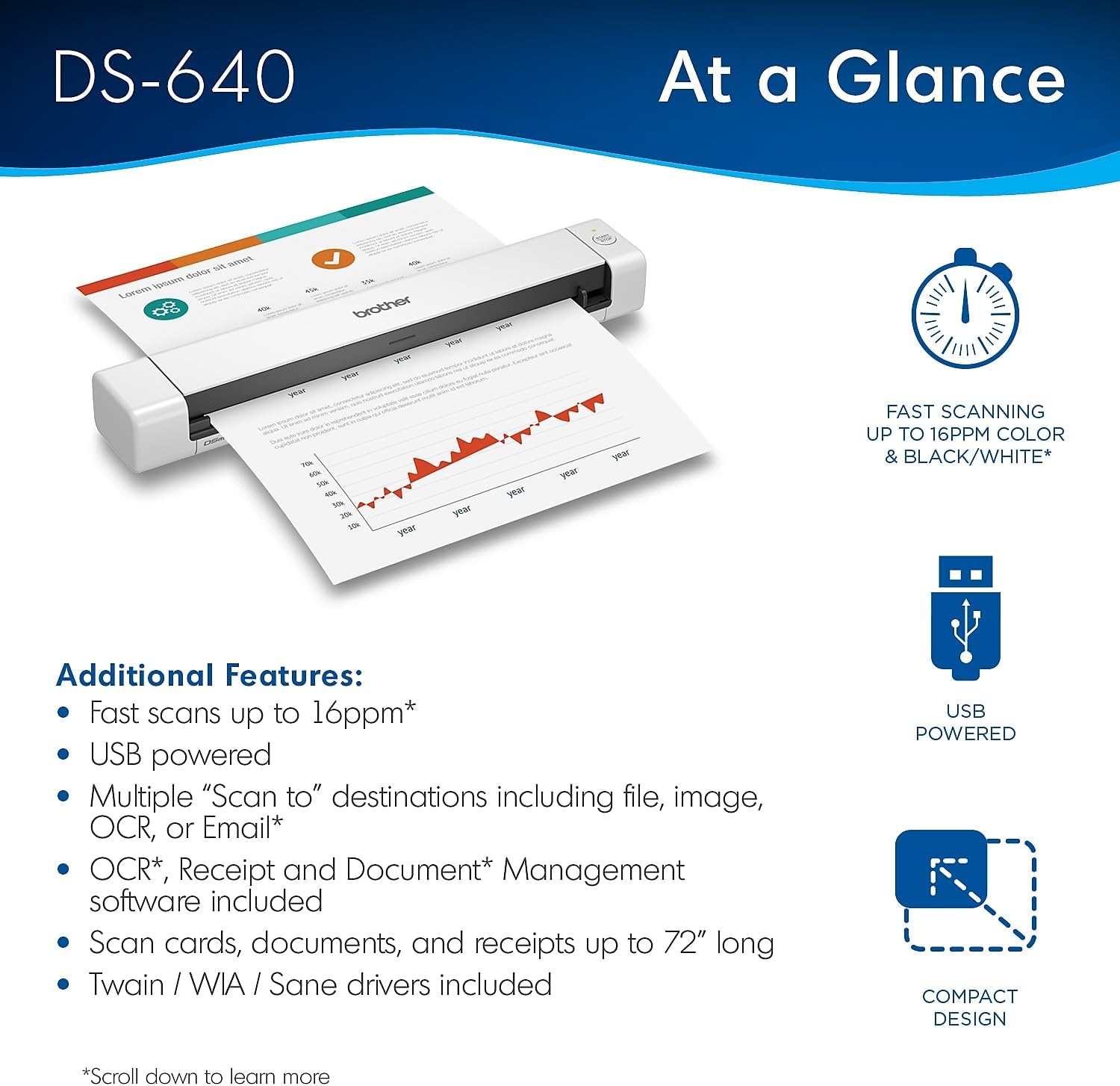
| EDITOR'S PICKScanSnap iX100 Wireless Mobile… | Mid-tierEpson Workforce ES-50 Compact P… | Budget pick[Brother DS-640](https://www.amazon.com/dp/B083R36CY4?tag=greenflower20-20) Compact Mobile D… | |
|---|---|---|---|
| Wireless | ✓ | ✗ | — |
| Battery | — | ✗ | — |
| Feed Type | — | Single-sheet | — |
| Interface | — | USB | — |
| Power | — | USB powered | — |
| Price | $235.99 | $159.99 | $134.99 |
| See on Amazon → | See on Amazon → | See on Amazon → |
Power Architecture: Bus-Power vs. Battery vs. Hybrid
The power story is the first fork in the road, and it shapes every other decision.
Bus-powered scanners (like the Fujitsu ScanSnap iX100, ~$200 street price as of May 2026, or the Brother DS-640, ~$90) draw 500 mA to 900 mA from a USB-A or USB-C port. That’s comfortably within USB 3.0 spec, so any modern laptop can run them without an external power adapter. The tradeoff: you’re always tethered to a host device. If your field workflow involves a ruggedized tablet or a Chromebook with a single USB-C port, check whether the scanner requires USB-A (many older models do) and budget for a powered hub or adapter.
Battery-integrated scanners — the Epson WorkForce ES-60W ($150) and the Brother ADS-1700W ($200) are the mainstream examples in this tier — carry lithium-ion cells rated for 20 to 300 page scans per charge depending on resolution settings. Battery operation genuinely decouples you from the host: scan to a microSD card or directly to a Wi-Fi destination without a laptop present. The cost shows up in weight (typically 50–100g heavier than equivalent bus-powered units) and long-term cell degradation. Operators in long-run reviews note that battery capacity on the Brother ADS-1700W begins to show measurable reduction after roughly 18–24 months of daily field use — relevant for healthcare organizations running 3-year equipment cycles.
Hybrid models — the Fujitsu ScanSnap iX1300 (~$400) being the most cited example — can run bus-powered from a laptop or standalone over Wi-Fi while connected to a USB-C power bank. That flexibility is genuinely useful for mid-volume field teams, though the iX1300 is not truly pocket-portable (it weighs about 1.3 kg and is closer in footprint to a desktop compact than a travel scanner).
By the Numbers
| Power mode | Typical weight | Pages/charge or power draw | Cord-free operation |
|---|---|---|---|
| Bus-powered only | 300–450 g | ~0.45–0.9 W from USB | No |
| Battery-integrated | 380–550 g | 20–300 pages/charge | Yes |
| Hybrid (bus + power bank) | 1.0–1.5 kg | Depends on bank capacity | Yes, with power bank |
Sources: manufacturer spec sheets; TechRadar’s portable scanner roundup (2025).
Scan Quality in a Portable Body: What Actually Degrades
Portable sheet-fed scanners make real image quality concessions compared to their desktop cousins. Understanding where the cuts happen helps you decide whether those cuts matter for your documents.
Optical resolution is measured in dpi (dots per inch) — how many individual sample points the sensor captures across one inch of the page. Most portables are rated at 600 dpi optical. That’s sufficient for black-and-white text documents, standard business forms, and anything destined for OCR (optical character recognition — the software that converts a scanned image into searchable, editable text). Where 600 dpi becomes a problem: fine-print legal documents, engineering drawings with hairline dimension marks, or any workflow where the output is being compared against ISO 19264 quality targets (the international standard governing digitization fidelity for archival use). At 600 dpi, you’re comfortable for most business digitization but well below the 1200 dpi minimum that FADGI (Federal Agencies Digital Guidelines Initiative) recommends for archival-grade document capture.
Color depth and bit-depth are similarly trimmed. The Epson ES-60W scans at 24-bit color (8 bits per channel — adequate for most business documents). That compares to 48-bit color on flatbed photo scanners. For field teams digitizing inspection photos, insurance documentation with color-coded annotations, or healthcare forms with color highlights, 24-bit is generally workable. For anything approaching archival fidelity, you’ll want to route those originals to a desktop or production unit.
ADF (automatic document feeder) capacity in portables is almost universally single-sheet or very short stacks (typically 5–20 sheets). The Epson ES-60W’s manual feed handles single sheets; the Brother DS-940DW handles 20-sheet stacks. If your field workflow routinely involves multi-page packets — loan applications, multi-page inspection checklists, patient intake bundles — the short ADF is a real friction point. Operators consistently report that re-feeding stacks of 5–10 pages multiple times per session adds meaningful time and mis-feed risk, particularly with lightweight paper (under 60 gsm, where gsm means grams per square meter, a paper weight measure).
PCMag’s 2025 portable scanner roundup notes that double-feed detection — a sensor that flags when two pages go through at once — is absent or unreliable on most sub-$200 portables, which is a significant compliance risk in any regulated workflow where missed pages create audit gaps.
Connectivity and Software: Where Field Reality Bites
The hardware spec is only half the picture. In the field, the scan-to-destination pipeline is where workflows break down.
Wi-Fi and cloud routing are table stakes on battery-integrated models. The Brother ADS-1700W and Epson ES-60W both support direct scan-to-cloud via companion apps (Document Capture Pro for Epson; iPrint&Scan for Brother). These work reliably on stable Wi-Fi but field operators in aggregated reviews consistently flag connectivity failures in cellular-only environments or behind enterprise VPNs with strict DNS filtering. If your field team is scanning in a location with unrestricted internet, app-based cloud routing is genuinely convenient. If you’re operating in a HIPAA-regulated environment where data must route through your organization’s sanctioned document management system, verify that the scanner’s app supports folder mapping to your DMS before you buy — not all of them do.
TWAIN compliance — TWAIN is a software interface standard that lets any scanning application control a scanner without custom drivers — matters if your organization runs a document management or ECM (Enterprise Content Management) platform like Kofax Capture, ABBYY FineReader PDF, or DocuWare. Most portable scanners ship with TWAIN drivers, but the quality of implementation varies. Document Imaging Report’s Q1 2026 market overview flags that several sub-$200 portables have TWAIN drivers that function in full-page acquire mode only, without support for feeder mode (which allows an application to automatically pull the next sheet), effectively breaking automated batch processing in third-party software. Confirm feeder-mode TWAIN support with your vendor before committing.
Driver longevity is a real risk in this product class. Wirecutter’s updated portable scanner coverage notes that budget portables from second-tier brands routinely lose macOS and Windows driver support within 2–3 years of product launch. For a fleet purchase or a multi-year deployment, that’s a hidden TCO (total cost of ownership) liability. Fujitsu (now Ricoh), Epson, and Brother have better long-term driver support track records than most white-label or OEM alternatives flooding the market in the ~$60–$100 segment.
Compliance Considerations for Regulated Industries
Two specific audiences face requirements that constrain the portable scanner shortlist significantly.
Healthcare field teams operating under HIPAA (the Health Insurance Portability and Accountability Act, which governs the handling of protected health information in the U.S.) need to verify that any cloud-routing app used with the scanner operates under a BAA — a Business Associate Agreement — with their covered entity. Most generic cloud scan-to-email or scan-to-Dropbox implementations do not ship with a BAA and therefore aren’t appropriate for PHI (Protected Health Information) without additional contractual steps. That constraint pushes many healthcare organizations toward wired, LAN-only configurations even in the field, which effectively means bus-powered-to-laptop workflows rather than battery-and-cloud.
Insurance adjusters, legal teams, and government field inspectors are increasingly citing PDF/A compliance — PDF/A being the ISO 19005 archival PDF format that embeds all fonts and color data for long-term reproducibility — as a procurement filter. Most portable scanner companion apps produce standard PDF output, not PDF/A. Verify that your downstream software (ABBYY FineReader PDF is the common choice in this segment) can receive the scanned image and output a compliant PDF/A file.
Decision Rules: If X, Then Y
You’ve read the tradeoffs. Here’s the decision logic for the most common field profiles, as of May 2026 pricing:
If your field team needs true cord-free operation and scans ≤50 pages per session: Battery-integrated wins. The Brother ADS-1700W ($200) or Epson ES-60W ($150) cover most single-sheet business document workflows. Accept the image quality ceiling at 600 dpi / 24-bit color as a known constraint.
If you’re tethered to a laptop anyway and volume stays under 20 sheets per stop: Bus-powered is the simpler, lighter, longer-lived choice. The Brother DS-640 (~$90) is consistently cited by PCMag and TechRadar as the value anchor here. No battery to degrade. No firmware to update for Wi-Fi security.
If you need multi-page stack feeding in a portable form factor and have ~$400 to spend: The Fujitsu ScanSnap iX1300 is the most frequently recommended step-up in this class, with a 10-sheet U-turn ADF and a software ecosystem (ScanSnap Home) that has notably better long-term driver support and ABBYY OCR integration than the competition at that price.
If your workflow involves a regulated document type (PHI, legal originals, archival source material): Do not route through generic consumer cloud apps. Plan for LAN or direct-to-laptop capture, verify TWAIN feeder-mode support for your DMS, and — if archival fidelity matters — treat the portable as a triage scanner only and plan to re-scan originals at higher resolution when back at base.
If you’re evaluating portables for a team of 5+ field operators with a 3-year replacement cycle: Run the TCO math on battery-integrated vs. bus-powered. Battery degradation on high-use units often necessitates replacement at 18–24 months; bus-powered units at the same price point routinely last the full cycle. That asymmetry frequently reverses the apparent cost advantage of feature-rich battery models in fleet deployments.
The portable scanner market in this price tier ($90–$400) is genuinely competitive right now, and the specs have largely converged on 600 dpi / 24-bit / single USB-C power. The differentiation that actually matters for a field professional is software support longevity, TWAIN feeder-mode compliance, and power architecture fit — not the headline spec numbers. Get those three right for your specific deployment, and the hardware choice largely follows.